

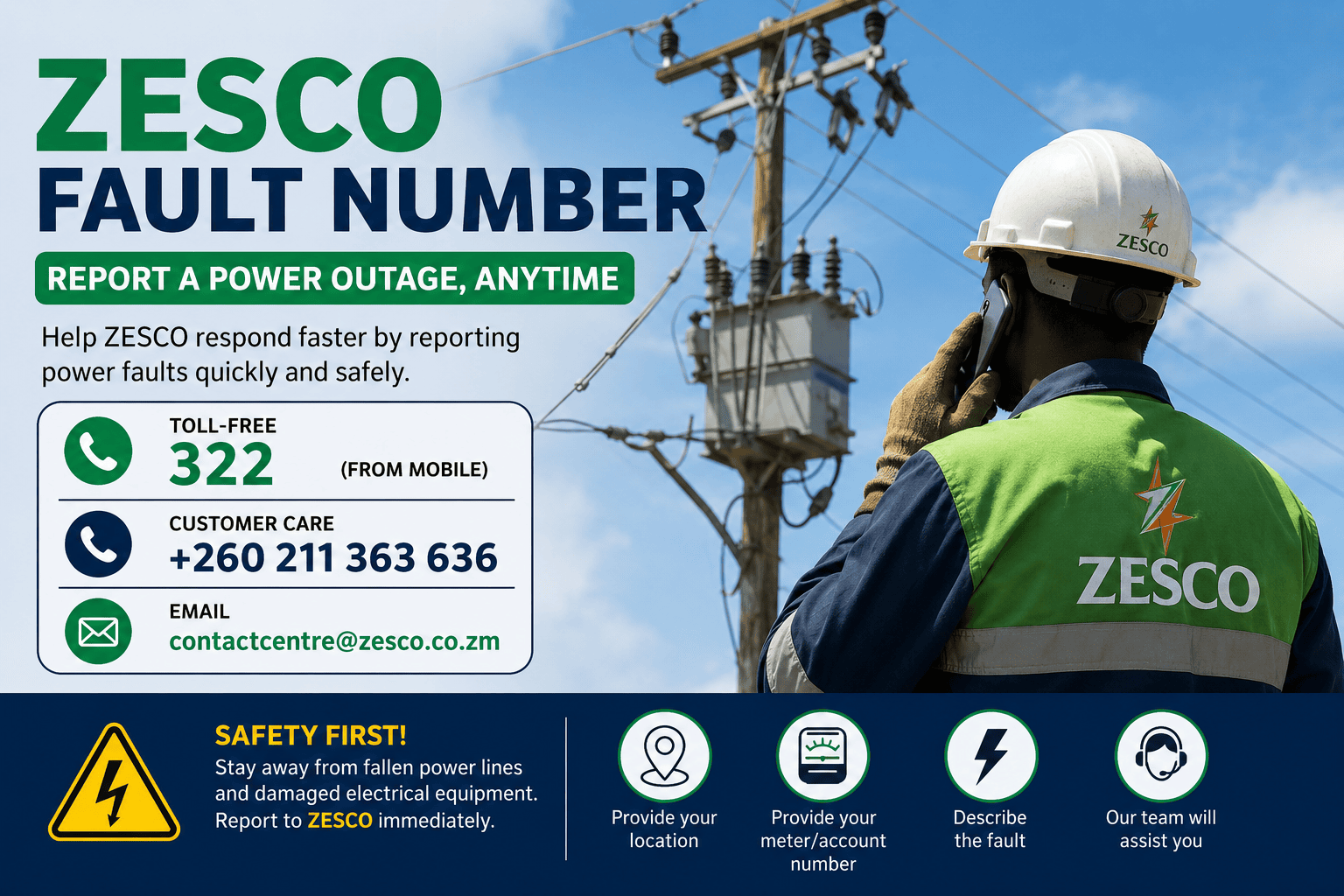
Experiencing a power outage or electrical fault in Zambia? This comprehensive guide explains all the official channels available to report faults to ZESCO Limited, the national electric power utility company. Whether you prefer calling, texting, using WhatsApp, or reporting online, you’ll find the correct contact details and step-by-step instructions to ensure your fault is logged and addressed promptly. Keep this page bookmarked for quick reference during emergencies.
Official ZESCO Fault Reporting Channels
How to Use WhatsApp Reporting:
- Save the number +260 762 626 977 to your phone contacts.
- Open WhatsApp and start a new chat with the saved contact.
- Send any message (e.g., “Hi” or “Hello”) to trigger the automated menu.
- Reply with the number corresponding to your request (e.g., “1” to report a fault).
- Follow the prompts to provide your account number, location, and fault description.
- You will receive a confirmation message with a fault reference number.
How to Use USSD Reporting:
- Open your phone’s dialer app.
- Dial *3600# and press the call button.
- A menu will appear on your screen with various options.
- Select the option for “Report Fault” (usually option 1 or 2).
- Enter your ZESCO account/meter number when prompted.
- Provide your location and describe the fault.
- Confirm your details and submit.
- You will receive an SMS confirmation with a reference number.
How to Report Online:
- Visit portal.zesco.co.zm/services/faults in your web browser.
- Click on “Report a Fault” or “Log New Fault”.
- Fill in the required details: your name, contact number, account/meter number, and address.
- Describe the fault and select the fault category (e.g., no power, damaged transformer, fallen lines).
- Optionally attach photos or documents to support your report.
- Submit the form and note down the reference number provided.
Email Template for Fault Reporting:
Dear ZESCO Team,
I am writing to report a power fault at the following location:
Account/Meter Number: [Your Number]
Address: [Your Full Address]
Nearest Landmark: [Landmark]
Nature of Fault: [e.g., Total blackout, damaged transformer, fallen lines]
Time Fault Occurred: [Date and Time]
Contact Number: [Your Phone Number]
Please find attached photos of the fault (if applicable).
Kindly acknowledge receipt and provide an estimated resolution time.
Thank you,
[Your Name]
About ZESCO and Fault Reporting
ZESCO Limited (Zambia Electricity Supply Corporation) is the state-owned utility company responsible for generating, transmitting, and distributing electricity across Zambia. With millions of customers nationwide, power faults—ranging from localized outages to major transformer failures—are inevitable. ZESCO has established multiple fault reporting channels to ensure customers can quickly notify them of issues and receive timely resolutions.
Reporting a fault promptly is essential because it helps ZESCO dispatch technical teams to the affected area, prioritize repairs, and restore power as quickly as possible. It also creates an official record of the outage, which is useful if you need to follow up or escalate the matter.
Information You Must Provide When Reporting
To ensure ZESCO can respond quickly and accurately, have the following information ready before you make contact:
| Information Required | Why It’s Needed | Where to Find It |
|---|---|---|
| ZESCO Account / Meter Number | Identifies your specific connection and location in their system. | On your electricity bill or on the meter itself. |
| Exact Address / Location | Helps technical teams locate the fault quickly. | Provide house number, street name, compound, and nearest landmark. |
| Contact Phone Number | Allows ZESCO to call you for updates or clarification. | Use an active number you can answer. |
| Nature of the Fault | Helps ZESCO prioritize and send the right team. | Describe clearly (e.g., “total blackout,” “sparking transformer,” “fallen power line”). |
| Time Fault Occurred | Helps correlate with other reports and grid events. | Note the approximate date and time. |
| Number of Affected Houses (if known) | Indicates the scale of the outage. | Observe if neighbors are also affected. |
- Keep yourself and others at least 10 meters away from the hazard.
- Barricade the area with visible objects (branches, cones, ropes) to warn others.
- Report the incident to ZESCO immediately using any of the channels above.
- If there is an immediate risk to life or property, also call the Zambia Police (999) or local emergency services.
Common Types of ZESCO Faults
When reporting a fault, it helps to categorize it correctly so ZESCO can dispatch the appropriate technical team:
- Total Blackout: No power in your entire area or compound. This usually indicates a problem with the distribution transformer or main feeder lines.
- Partial Outage: Only your house or a few houses are affected. This could be a problem with your service line, fuse, or a localized fault.
- Damaged Transformer: Visible damage to the transformer (e.g., oil leaks, burning smell, unusual noise). This requires urgent attention.
- Fallen Power Lines: Lines down due to storms, accidents, or vandalism. Extremely dangerous — report immediately.
- Low Voltage: Power is available but appliances are not working properly (lights dimming, motors struggling). This indicates voltage drop issues.
- Flickering Power: Intermittent power supply, often caused by loose connections or overloaded lines.
- Meter Issues: Problems with your prepaid meter (e.g., not accepting tokens, displaying errors). This may require a meter replacement or reset.
- Billing Disputes: Incorrect billing or estimated readings. These are handled differently from technical faults.
What to Expect After Reporting a Fault
Once you report a fault to ZESCO, here is the typical process:
- Fault Logging: Your report is entered into ZESCO’s fault management system, and you receive a unique reference number. Keep this number safe — you will need it for follow-ups.
- Initial Assessment: ZESCO’s control room reviews the fault and checks if other customers in the area have reported similar issues. This helps them determine the scale and priority.
- Dispatch of Technical Team: A team is assigned based on the fault type and location. For urgent hazards (fallen lines, sparking transformers), response is typically faster.
- On-Site Inspection: The team visits the location to assess the damage and determine what repairs are needed.
- Repair Work: Repairs are carried out. For minor faults, this may take a few hours. For major issues (e.g., transformer replacement), it may take a day or more.
- Power Restoration: Once repairs are complete, power is restored, and you may receive an SMS or email confirmation.
- Follow-Up: If the fault is not resolved within a reasonable time, you can follow up using your reference number via the same channel you used to report.
- Emergency hazards (fallen lines, sparking): Within 1-2 hours
- Urban outages (Lusaka, Copperbelt): Within 4-8 hours
- Rural outages: Within 24-48 hours (depending on accessibility)
- Major infrastructure faults: May take several days for full restoration
Tips for Effective Fault Reporting
- Be Specific: Instead of saying “no light,” say “total blackout in [compound name] since [time]. Approximately [number] houses affected.”
- Provide Landmarks: In areas with poor addressing systems, landmarks (e.g., “near the market,” “opposite the school”) help teams locate faults faster.
- Use Multiple Channels if Needed: If you don’t receive a response after reporting via one channel, try another (e.g., follow up a phone call with a WhatsApp message).
- Keep Your Reference Number: Always note down the fault reference number. Without it, follow-ups are difficult.
- Coordinate with Neighbors: If multiple houses are affected, one person can report on behalf of everyone, but mention the number of affected households.
- Report During Daylight if Possible: For non-urgent faults, reporting during business hours may result in faster processing.
- Take Photos: If safe to do so, take photos or videos of the fault (especially for damaged equipment) and attach them when reporting via WhatsApp, email, or the online portal.
How to Follow Up on a Reported Fault
If your fault has not been resolved after a reasonable time, you can follow up using the same channel you used to report:
- Phone: Call 322 or +260 211 363 636 and provide your fault reference number.
- WhatsApp: Message +260 762 626 977 and select the “Check Fault Status” option.
- USSD: Dial *3600# and navigate to the fault status option.
- Online Portal: Log in to your account at portal.zesco.co.zm to view the status of all your reported faults.
Escalating Unresolved Faults
If your fault remains unresolved after reasonable follow-ups, you can escalate the matter through these channels:
- ZESCO Customer Service Manager: Visit your nearest ZESCO customer service office and speak directly with a manager.
- Energy Regulation Board (ERB): The ERB regulates the energy sector in Zambia. You can lodge a complaint with them if ZESCO fails to respond adequately.
- ZESCO Social Media: ZESCO is active on platforms like Facebook and Twitter (X). Public posts sometimes receive faster responses.
- Local Councilor: Your local councilor can liaise with ZESCO on behalf of the community for widespread outages.
Frequently Asked Questions (FAQ)
Is the ZESCO call center number 322 free to call?
Yes, the short code 322 is free to call from Airtel and MTN numbers in Zambia. If you are calling from a landline or Zamtel, use the national number +260 211 363 636 (standard charges apply).
How long does it take for ZESCO to fix a fault?
Response times vary based on the fault type and location. Emergency hazards are prioritized and typically addressed within 1-2 hours. Urban outages are usually resolved within 4-8 hours, while rural areas may take 24-48 hours. Major infrastructure faults can take several days.
Do I need my meter number to report a fault?
It is highly recommended to have your meter or account number ready, as it helps ZESCO identify your connection quickly. However, you can still report a fault with just your address and contact details if you don’t have the number handy.
Can I report a fault for someone else?
Yes, you can report a fault on behalf of someone else, but you must provide accurate location details and a contact number where the affected party (or you) can be reached for follow-ups.
What if my area has had a planned load shedding?
ZESCO publishes load shedding schedules in advance. If your area is experiencing a scheduled outage, there is no need to report it as a fault. Check the ZESCO website or local media for the current load shedding schedule.
Can I report a fault anonymously?
While you can report a fault without providing your name, you must provide a contact number and location so ZESCO can follow up. Anonymous reports without contact details may not be actionable.
What should I do if ZESCO doesn’t respond to my fault report?
First, follow up using your fault reference number through the same channel. If there is still no response after 24-48 hours, escalate to the ZESCO Customer Service Manager at your nearest office, or lodge a complaint with the Energy Regulation Board (ERB).
Additional Resources and Support
For official information, schedules, and customer support, consult these Zambian resources:
- ZESCO Limited (Official Website) — Company information, load shedding schedules, and news
- ZESCO Customer Portal — Online fault reporting, account management, and token purchases
- Energy Regulation Board (ERB) — Regulatory authority for the energy sector in Zambia
- Ministry of Energy and Water Development — Government oversight of the energy sector
- ZESCO Load Shedding Schedule — Current and upcoming power rationing schedules
This guide is provided for informational purposes to help Zambians report electrical faults to ZESCO Limited. Contact details and procedures are based on publicly available information from ZESCO and may be updated by the company. Always verify current contact information on the official ZESCO website. In case of electrical emergencies involving danger to life or property, always prioritize personal safety and contact emergency services (Police: 999) immediately.